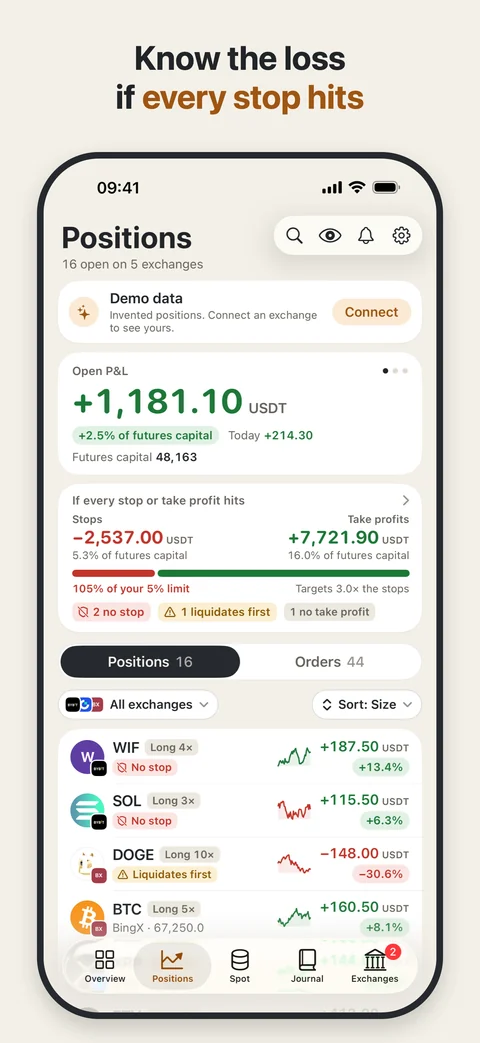
The loss if every stop hits.
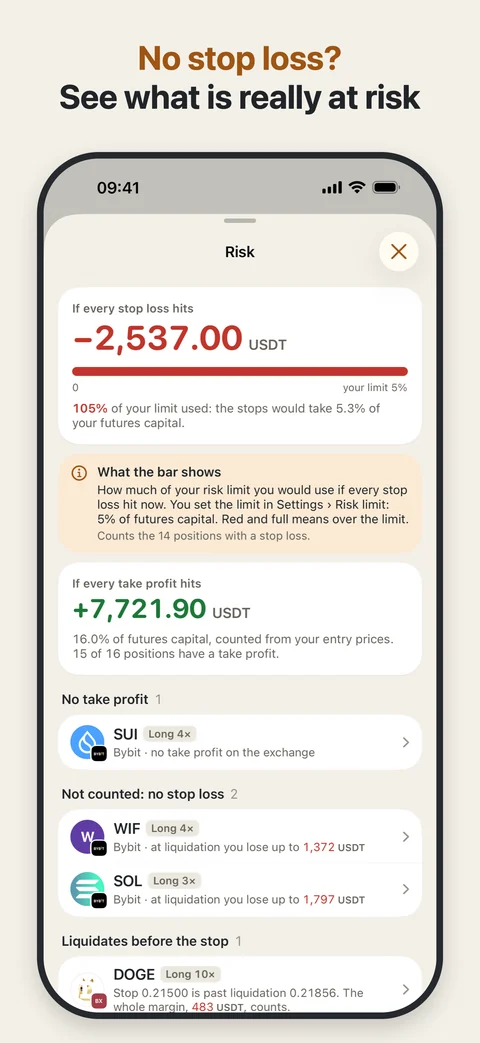
See the total in USDT and as a percentage of equity, against a risk limit you choose. A position without a stop shows its loss at liquidation.

Positions Tracker
Coming soon · iPhoneOpen crypto futures across several accounts? See the loss if every stop loss hits, the positions without a stop, and what needs your attention in one calm view.
A read-only portfolio and risk tracker. It never places, changes or cancels an order. Your keys stay on your iPhone.
For people holding crypto positions
Your balances tell one story. Your stops, missing stops and liquidation levels tell another. Keep them together.
See the total in USDT and as a percentage of equity, against a risk limit you choose. A position without a stop shows its loss at liquidation.
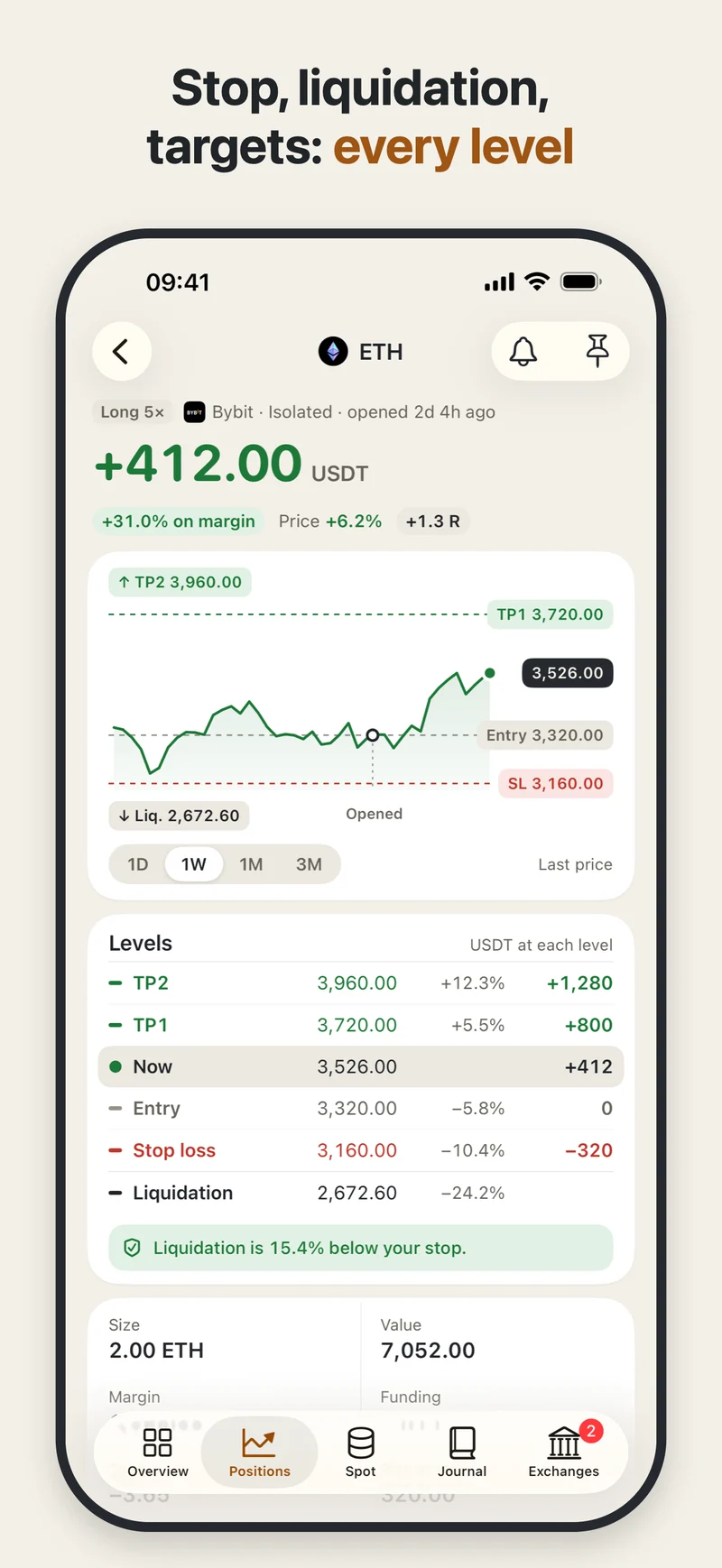
Each position’s chart shows entry, stop, liquidation and take-profit levels, with the distance and result at each.
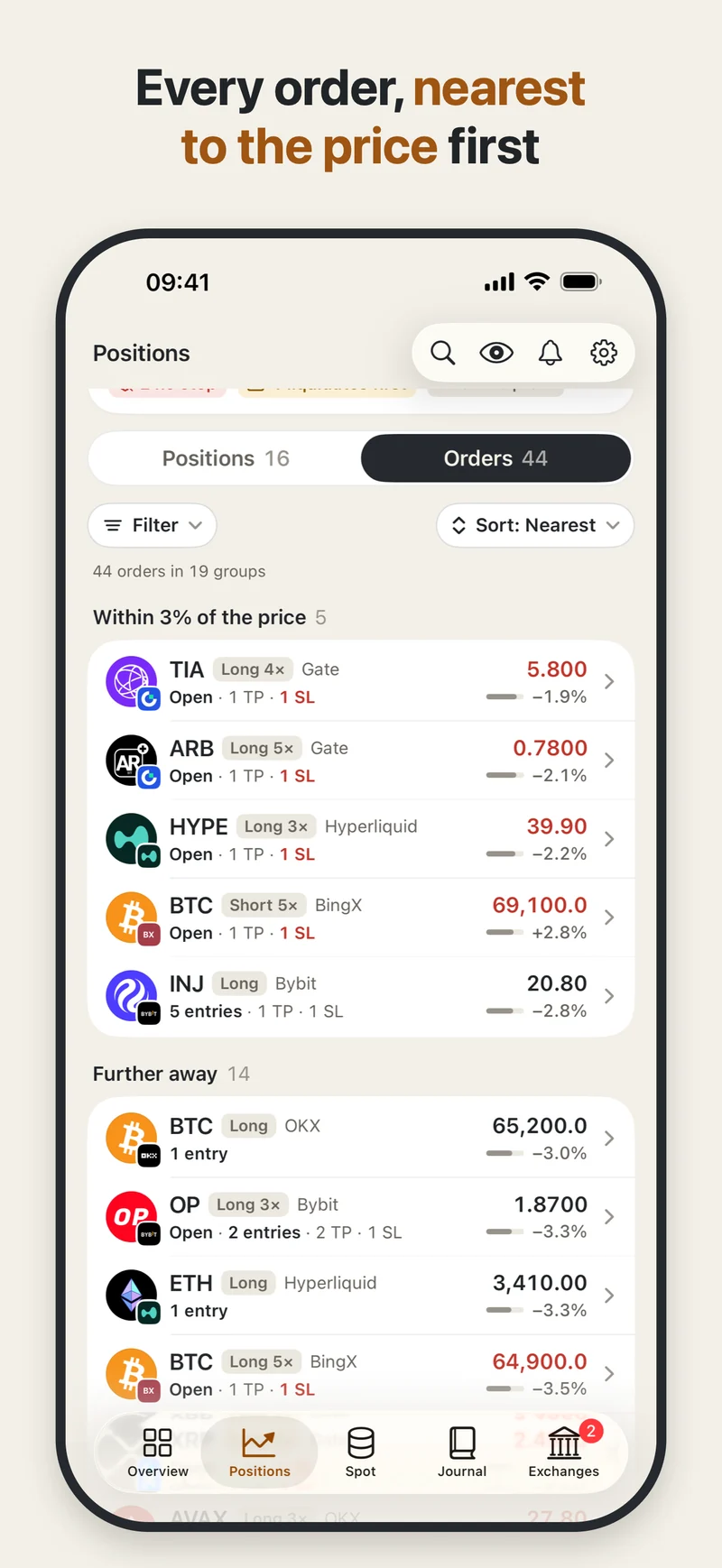
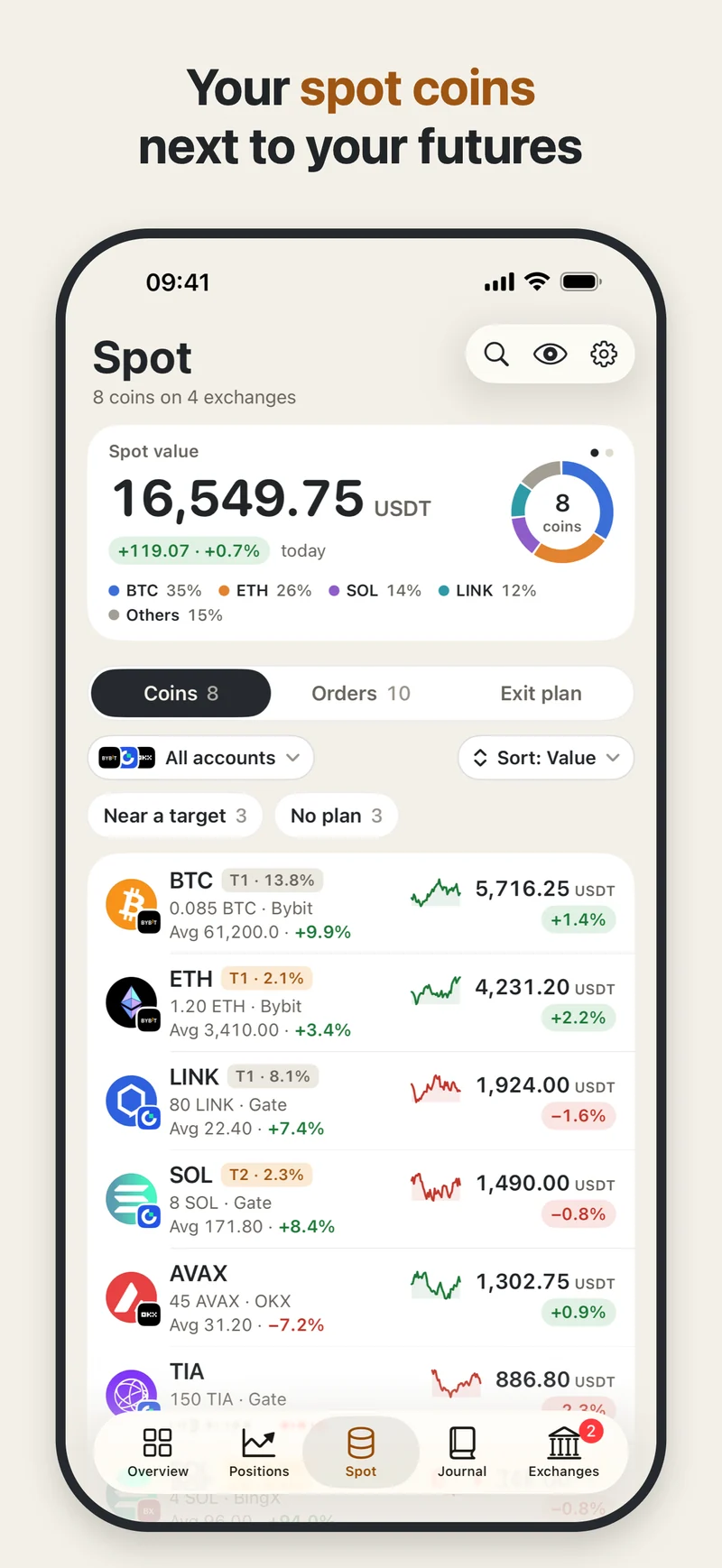
Sort positions by size, P&L, risk, newest or exchange. See orders nearest to the price first, with your spot coins alongside your futures.
Inside Positions Tracker
From the overall risk to an individual position’s levels. These are real app screens with an invented portfolio.
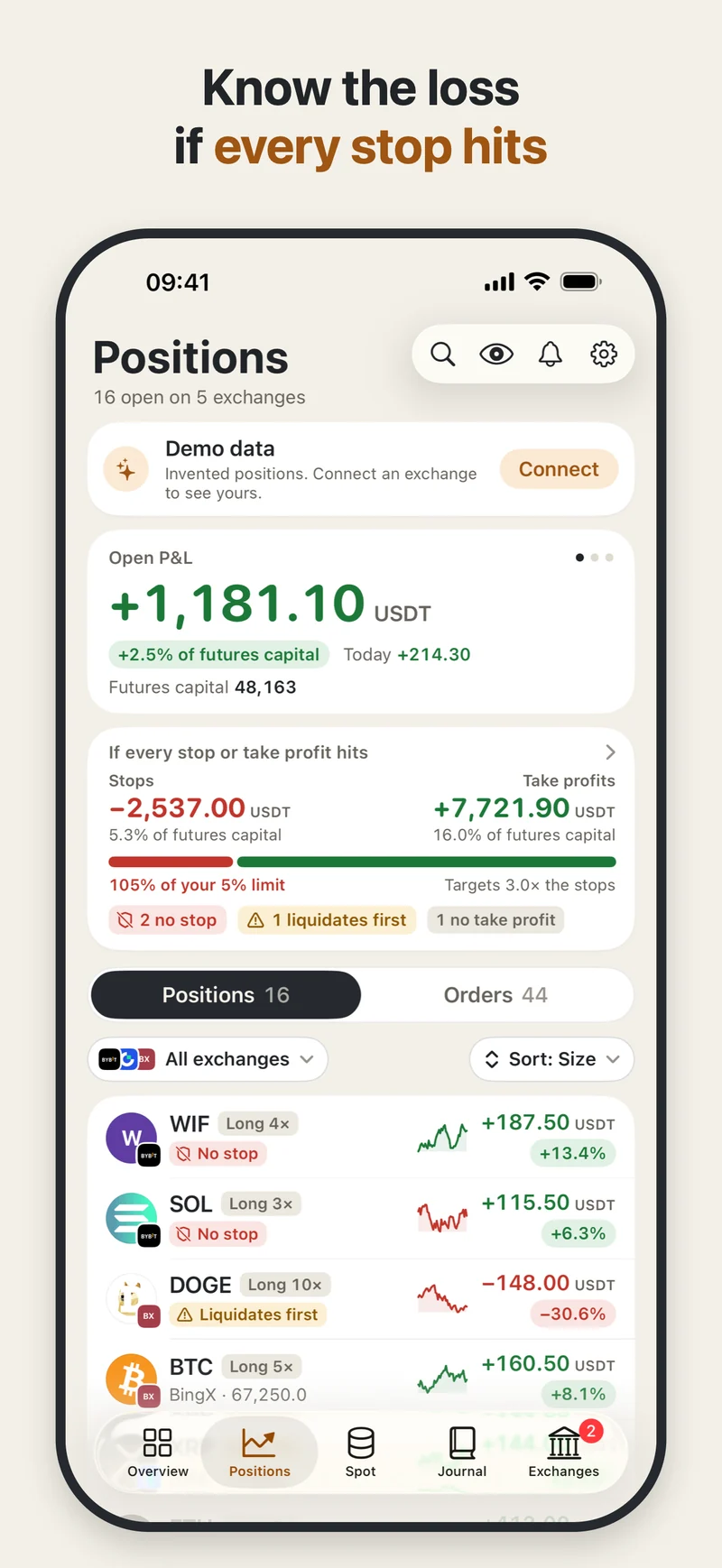
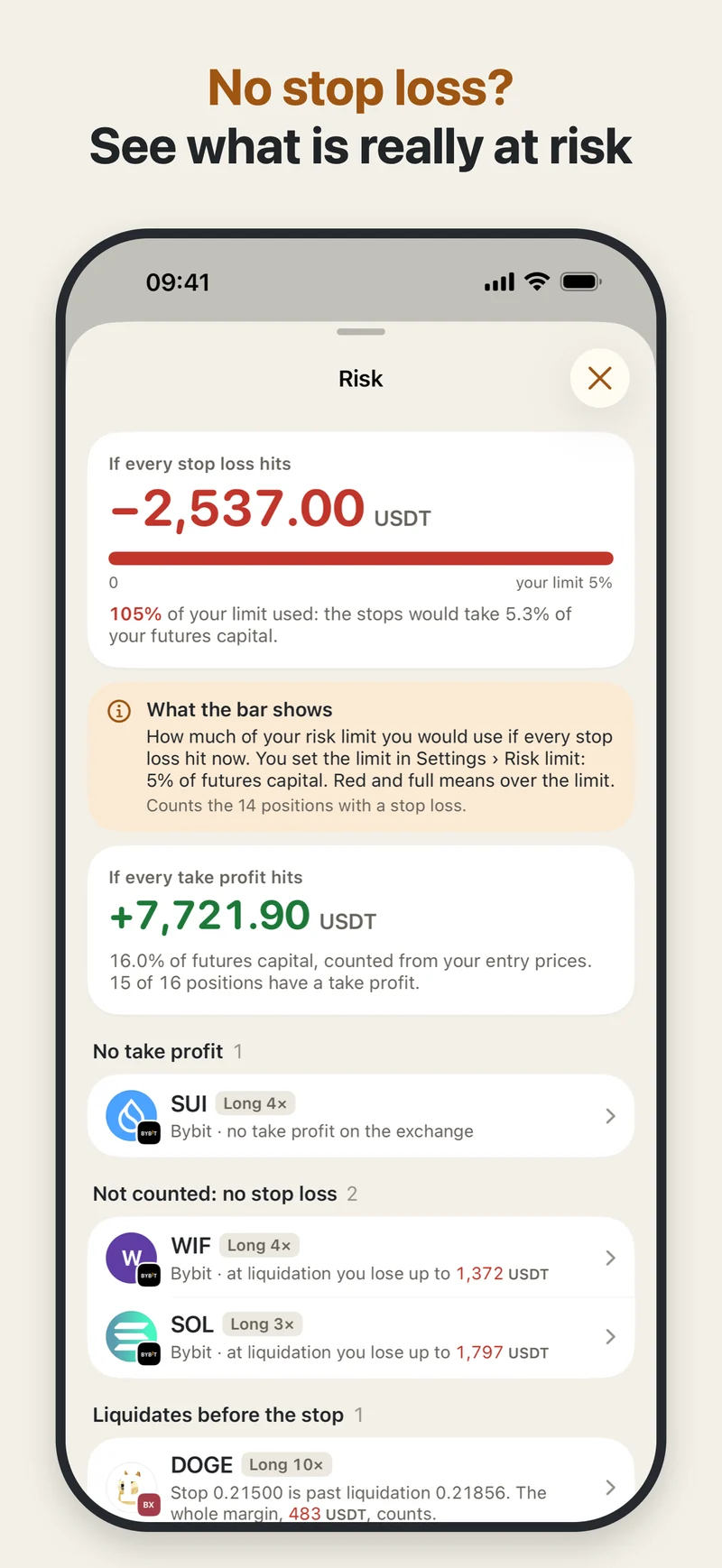
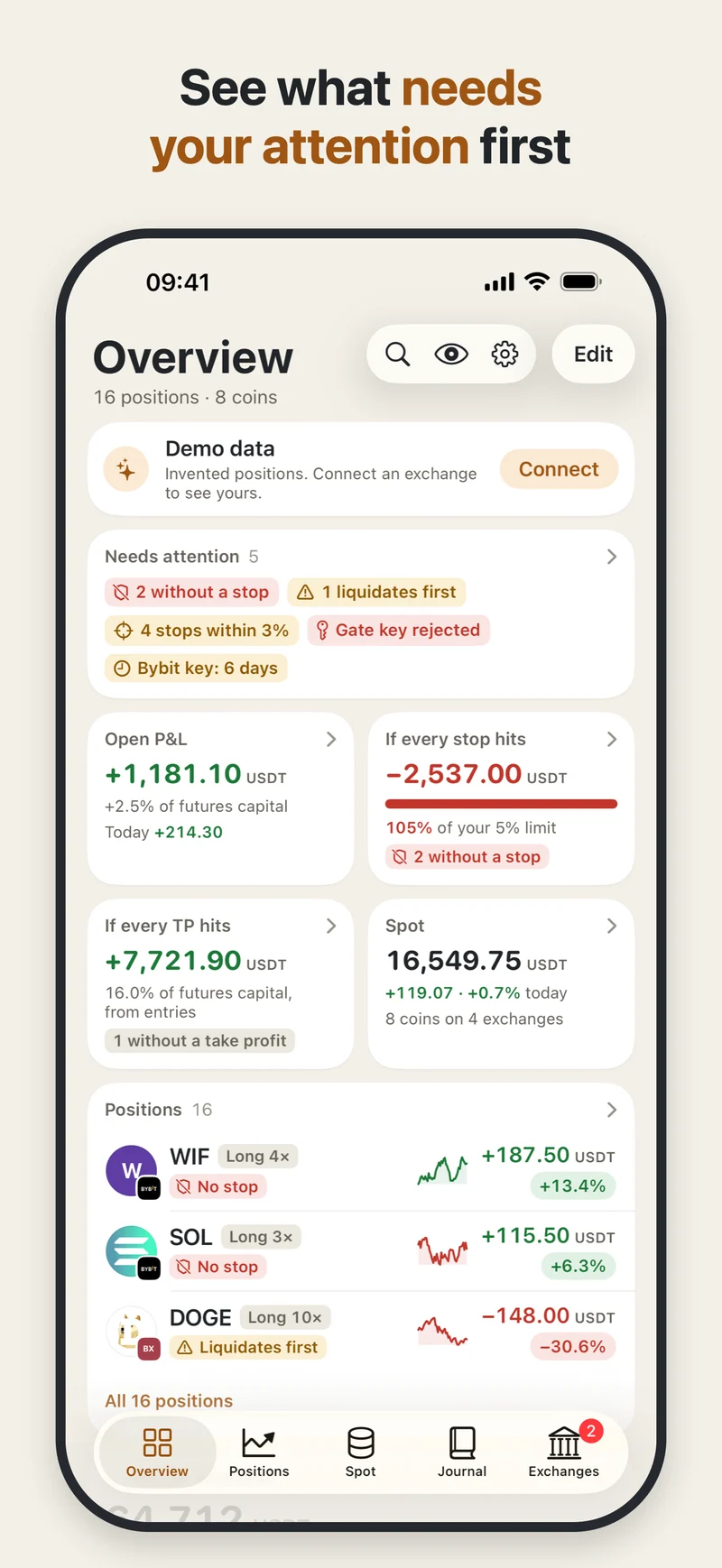
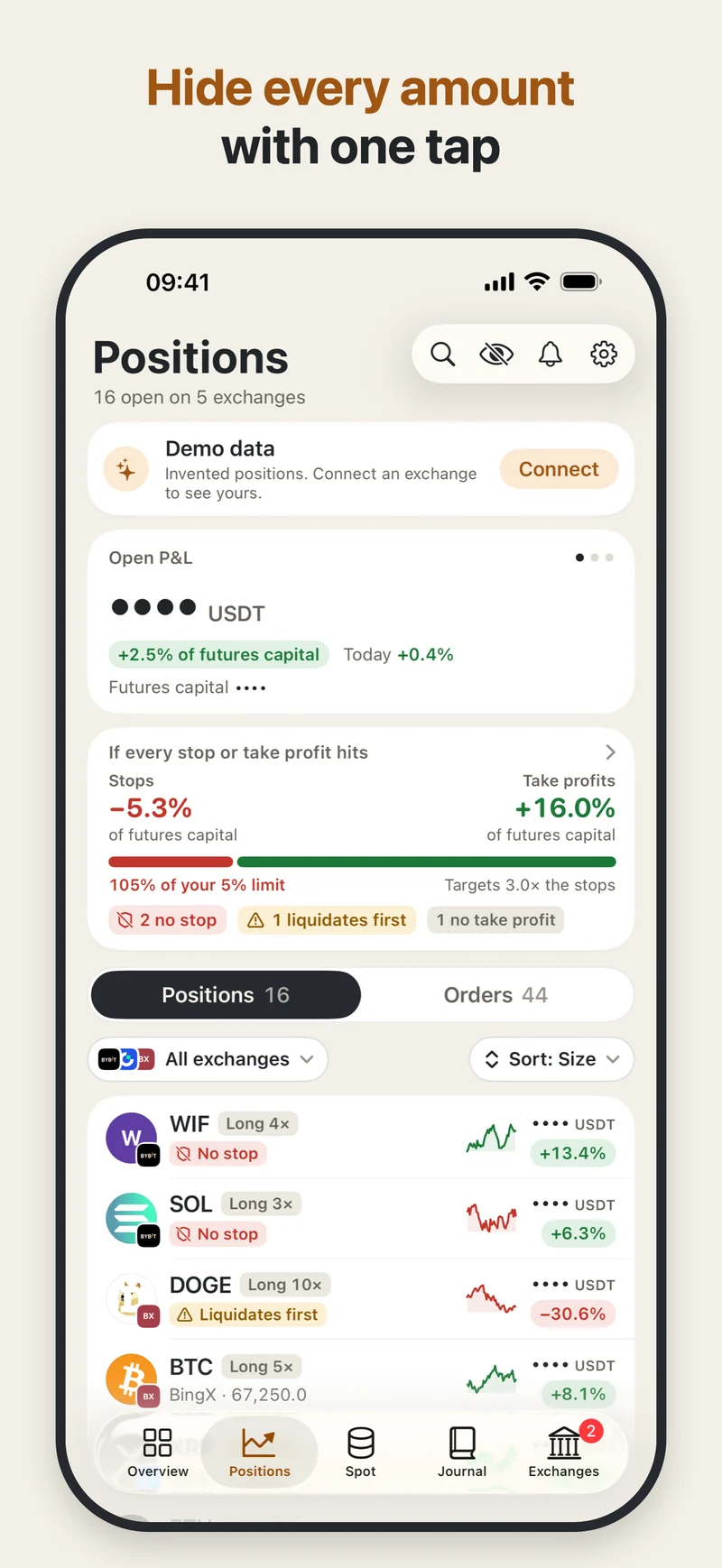
Swipe or scroll to see more. With a keyboard, focus the gallery and use the arrow keys. Select any image for a larger view.
Read-only. Always.
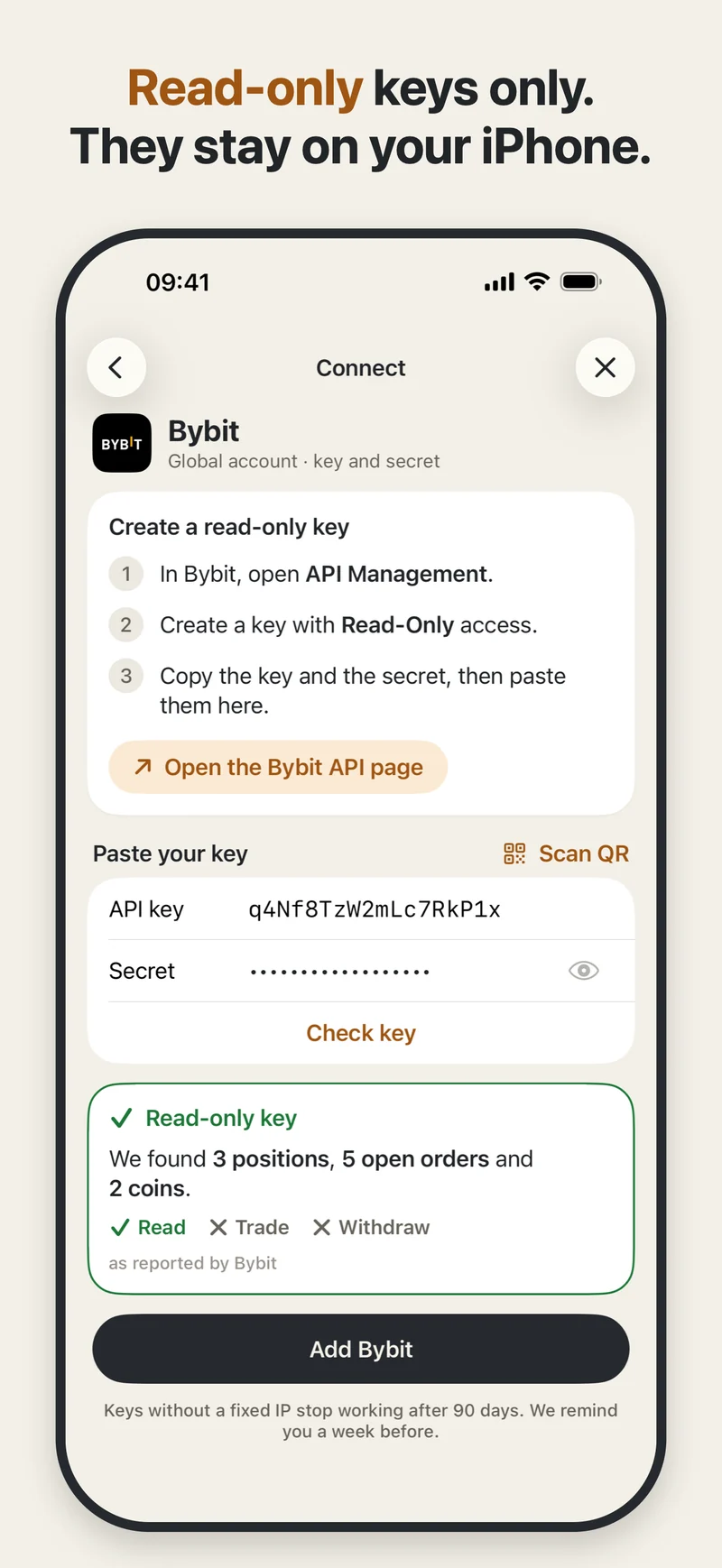
Keys are stored in the iOS Keychain and sent only to the exchange’s own API. The app checks permissions with the exchange. If a permission cannot be verified, you confirm it is off.
No account, no tracking, no analytics. Without alerts, nothing is sent to us. Hide every amount with one tap, or lock the app with Face ID or Touch ID.
Read the privacy policyA little more context
The free app covers two exchanges, with any number of accounts on them. Pro adds unlimited exchanges and these features.
Get alerts near liquidation, at your stop or a take-profit, and before a key expires. Off until you turn them on. Alerts use price levels from the app’s last refresh; changes made while it is closed appear after you reopen it.
Review entry, exit, fees, funding, net result, time held and R from supported exchanges. Add a note or chart photo, kept only on this iPhone. History starts when you connect.
Pin a position to the Lock Screen and Dynamic Island. See R, prices and the distance to your stop, never amounts. Updated while the app is open.
When alerts are enabled, our server receives your positions’ price levels, never your keys, amounts or quantities.
Before you connect
Bybit (global) and Hyperliquid are verified. Hyperliquid connects by public wallet address, with nothing to sign. Binance USDⓈ-M futures, OKX (global and Europe), Gate, BingX, Bitget, Deribit, BloFin, Kraken Futures, KuCoin futures, HTX, Coinbase (balances only) and Lighter (public address; stops not read yet) are in beta. On some other exchanges, you confirm permissions the exchange cannot show.
Yes. “Try it with demo data” opens the whole app, including Pro features, on an invented portfolio. No key and no sign-up.
The app refreshes while it is open, every 10 seconds by default. Widgets update when iOS allows. Alerts use the levels from your last app refresh.
No. Positions Tracker shows your own data. It gives no investment advice, makes no predictions and it never trades.
Positions Tracker is in beta on TestFlight and is coming to the App Store. For launch news, email support@oqaro.studio. For questions about the app, visit support.
Positions Tracker is coming to the App Store. Send us an email if you would like to know when it launches.
Opens your email app. Send your request to support@oqaro.studio.